


Digital patternmaking and connected production workflows are under increasing pressure to deliver speed, precision, and coordination across teams. As digital workflows expand, organizations require infrastructure that reinforces accuracy, repeatability, and continuity without introducing instability.
Optitex O/26 release represents the next deliberate step in that progression. This release strengthens core production workflows through targeted operational refinements across the PDS and Marker applications, including expanded automation, nesting optimization, output control, and Adobe® ecosystem integrations. The focus is on reinforcing the reliability and precision that technical design and production professionals depend on every day.
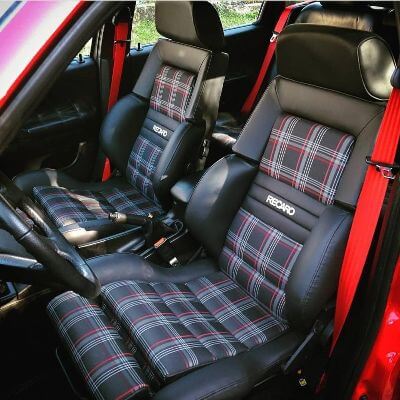
Designed for organizations operating in fashion and apparel, furniture upholstery, and automotive interiors, O/26 supports technical design and production professionals who require structured data flow, consistent documentation, and dependable execution at scale.

Clearer Production Indication with the Production Diagram
Clear communication between pattern development and production execution remains foundational to manufacturing accuracy. In O/26, the Production Diagram tool has been refined to strengthen documentation control and visual precision without increasing workflow complexity.
When a graded PDS file is selected, only the base size is imported into the Production Diagram, with the marker board area calculated accordingly. This reduces unnecessary visual density and improves diagram clarity, enabling production teams to work from a more controlled and accurate reference.
Editing capabilities within the workspace allow users to adjust arrows, line shapes, color, thickness, and free-positioned text directly on the marker board. The Operations Stitch dropdown now surfaces only context-relevant actions based on the selected object, reducing selection errors and improving speed in complex documentation scenarios.
Custom operation stitches can be defined using keyboard symbol patterns via the settings file, supporting internal visual standards without reliance on external tools.
Production Diagram functionality is now available to all users without additional licensing, strengthening alignment between design and production teams through broader access to standardized documentation tools.
Workflow Automation Across Applications
As workflows become more interconnected, automation must extend across systems rather than remain isolated within individual applications.
The Script Builder tool in O/26 enables batch scripts to launch and execute processes across both PDS and Marker. This reduces manual handoffs, standardizes repeatable operations, and supports process continuity across the production lifecycle.
By consolidating automation across applications, teams gain greater control over workflow sequencing while reducing the friction associated with system transitions.
Reinforcing Measurement-Driven Pattern Development
Precision in pattern development begins with accurate measurement management and grading alignment. O/26 strengthens this foundation within PDS 2D.
Dynamic Measurement Chart and Grading Automation Enhancements
The Dynamic Measurement Chart now supports direct import of Excel-based measurement data for automatic creation of pattern and PDS files. Measurement selections are synchronized with their corresponding tables in grading table dialog, and they can be generated for all measures in a single action.
This alignment reduces manual input during early development stages, lowers the risk of inconsistencies, and supports more reliable pattern development with reduced operational overhead.
L-Notch DXF Export Transparency
A new DXF export setting enables L-notches to be exported as true L-shaped notches while preserving existing default behavior. This provides greater transparency in file output and supports compatibility with downstream manufacturing systems.
Seam Allowance Geometry Safeguards
When switching between sew and cut lines, the system now prompts a confirmation dialog. This safeguard protects pattern integrity by reducing the likelihood of unintended geometry changes during development.

Material Accuracy and Utilization at Scale
Material handling and nesting performance directly influence cost control, planning accuracy, and sustainability outcomes.
Material Converter Enhancements in PDS 3D
The Material Converter now supports TIFF-based material maps, multi-file and folder-based conversion, and improved internal data consistency. These enhancements reduce manual conversion steps and support more reliable data flow between scanning systems, PDS 3D, and O/Cloud environments.
The result is improved material accuracy across digital and physical workflows.
Enhanced Nesting Algorithm in Nest ++ Pro
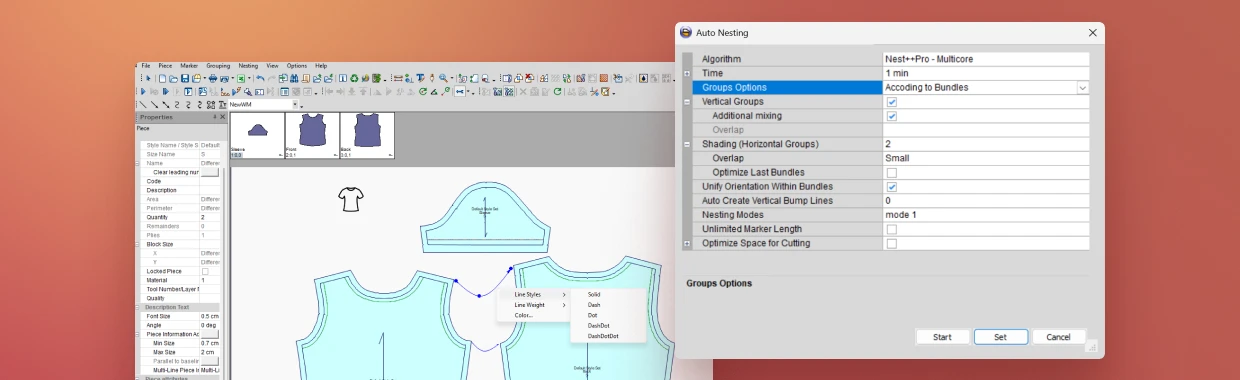
Nest ++ Pro has been updated with an enhanced nesting algorithm. This update increases processing speed while improving material efficiency and reducing computation time.
For high-volume production environments, this translates into more predictable material utilization and scalable planning performance within established workflows.
Expanding Batch-Driven Control in Marker
Production layout preparation requires precision and repeatability. O/26 expands batch-driven capabilities within Marker to strengthen consistency across repeated operations.
Automated Vertical Bump Line Batch Command
A new batch command enables automatic creation of vertical bump lines within Marker workflows. This reduces manual marker adjustments and supports consistent application across layouts, improving setup accuracy.
Expanded Group and Shading Batch Commands
Additional batch commands now fully support group and shading options used in nesting workflows, including control over vertical and horizontal grouping, overlap behavior, mixing, and bundle optimization. These controls reinforce standardized layout preparation across production teams.
Structured Output in Print & Cut
In production documentation workflows, output consistency is essential.
New batch commands within Print & Cut enable automated generation of PDF and DXF files, including control over page orientation and defined output paths. This reduces repetitive configuration steps and strengthens reliability in structured file generation.
Tech Pack Essentials is now available to all users without additional purchase, expanding access to standardized production documentation tools and improving alignment across product development and manufacturing teams.
Stability Within the Adobe Ecosystem
Digital production environments must remain stable as surrounding platforms evolve.
The 3DDI (3D Design for Illustrator) Adobe plugin now supports Adobe Illustrator® 2025 and 2026, along with Windows 11 and macOS Sequoia and Tahoe. These updates maintain integration reliability within the current operating system and Adobe environments, helping teams operate without disruption as platform versions advance.
Extending Early-Stage Design Alignment with Sketch & Fill
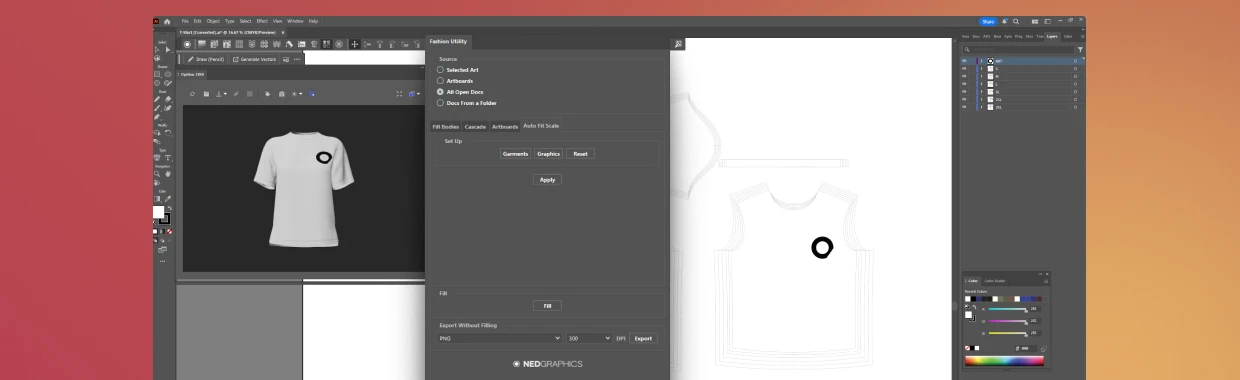
Within the broader Optitex and NedGraphics portfolio, Sketch & Fill supports efficient creation of technical sketches directly within Adobe Illustrator environments. Symmetry functions, automatic stitch line generation, and simplified garment filling contribute to clearer early-stage visual preparation.
Automatic artwork scaling across sizes ensures that graphics added to a base size are proportionally scaled across all sizes in the file. Logos and design elements maintain consistent proportions and placement, eliminating manual resizing and reducing repetitive adjustments during size grading.
This alignment between visual preparation and pattern development supports more consistent communication downstream.
A Deliberate Step Forward
O/26 reflects a continued commitment to operational advancement across the Optitex software. Each enhancement builds on established workflows, reinforcing usability, stability, and consistency without introducing unnecessary complexity.
By strengthening automation, improving data alignment, and reinforcing production communication infrastructure, O/26 supports organizations operating at scale in modern manufacturing environments.
For upgrade access, log into your client portal and select “Download O/26.”